Steve Jobs Quotes About Life, Design and Apple
 Posted by Explorer on October 9, 2011
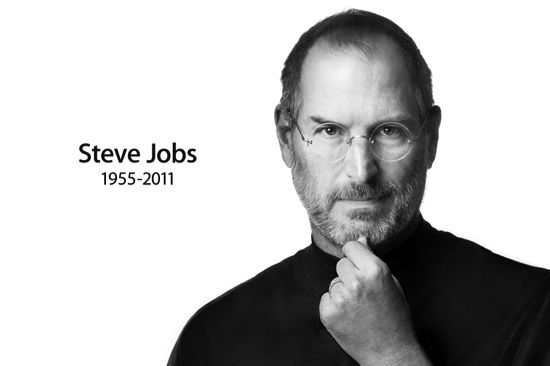
“Sometimes when you innovate, you make mistakes. It is best to admit them quickly, and get on with improving your other innovations.†– via
“Being the richest man in the cemetery doesn’t matter to me … Going to bed at night saying we’ve done something wonderful… that’s what matters to me.†– Wikiquote, as quoted in The Wall Street Journal (Summer 1993).
“We’ve gone through the operating system and looked at everything and asked how can we simplify this and make it more powerful at the same time.†– ABC News, Jobs on Mac OS X Beta
“Be a yardstick of quality. Some people aren’t used to an environment where excellence is expected.â€
“I want to put a ding in the universe.â€
“I was worth over $1,000,000 when I was 23, and over $10,000,000 when I was 24, and over $100,000,000 when I was 25, and it wasn’t that important because I never did it for the money.â€
“Unfortunately, people are not rebelling against Microsoft. They don’t know any better.†– Wikiquote, Interview in Rolling Stone magazine, no. 684 (16 June 1994)
“Bill Gates‘d be a broader guy if he had dropped acid once or gone off to an ashram when he was younger.†– The New York Times, Creating Jobs, 1997
“The only problem with Microsoft is they just have no taste. They have absolutely no taste. And I don’t mean that in a small way, I mean that in a big way, in the sense that they don’t think of original ideas, and they don’t bring much culture into their products.†– YouTube
“My job is not to be easy on people. My jobs is to take these great people we have and to push them and make them even better.†– All About Steve Jobs
“We made the buttons on the screen look so good you’ll want to lick them.†– Wikiquote, as quoted in Fortune magazine (4 January 2000)
“Click. Boom. Amazing!†– Macworld keynote 2006
“You can’t just ask customers what they want and then try to give that to them. By the time you get it built, they’ll want something new.†– Inc. Magazine
“That’s not what we think design is. It’s not just what it looks like and feels like. Design is how it works†– New York Times, The Guts of a New Machine, 2003
“Why join the navy if you can be a pirate?†- As quoted or paraphrased in Young Guns: The Fearless Entrepreneur’s Guide to Chasing Your Dreams and Breaking Out on Your Own (2009) by Robert Tuchman
“Innovation distinguishes between a leader and a follower.†– via
“I mean, some people say, ‘Oh, God, if [Jobs] got run over by a bus, Apple would be in trouble.’ And, you know, I think it wouldn’t be a party, but there are really capable people at Apple. My job is to make the whole executive team good enough to be successors, so that’s what I try to do.†– CNNMoney
“It’s not about pop culture, and it’s not about fooling people, and it’s not about convincing people that they want something they don’t. We figure out what we want. And I think we’re pretty good at having the right discipline to think through whether a lot of other people are going to want it, too. That’s what we get paid to do.†– CNNMoney
“So when a good idea comes, you know, part of my job is to move it around, just see what different people think, get people talking about it, argue with people about it, get ideas moving among that group of 100 people, get different people together to explore different aspects of it quietly, and, you know – just explore things.†– CNNMoney
“When I hire somebody really senior, competence is the ante. They have to be really smart. But the real issue for me is, Are they going to fall in love with Apple? Because if they fall in love with Apple, everything else will take care of itself.
They’ll want to do what’s best for Apple, not what’s best for them, what’s best for Steve, or anybody else.†– via

“We don’t get a chance to do that many things, and every one should be really excellent. Because this is our life. Life is brief, and then you die, you know? And we’ve all chosen to do this with our lives. So it better be damn good. It better be worth it.†– Fortune
“Almost everything–all external expectations, all pride, all fear of embarrassment or failure–these things just fall away in the face of death, leaving only what is truly important. Remembering that you are going to die is the best way I know to avoid the trap of thinking you have something to lose. You are already naked. There is no reason not to follow your heart.†– Steve Jobs’ Stanford Commencement Address
“Here’s to the crazy ones, the misfits, the rebels, the troublemakers, the round pegs in the square holes… the ones who see things differently — they’re not fond of rules… You can quote them, disagree with them, glorify or vilify them, but the only thing you can’t do is ignore them because they change things… they push the human race forward, and while some may see them as the crazy ones, we see genius, because the ones who are crazy enough to think that they can change the world, are the ones who do.†– Think Different, narrated by Steve Jobs
“In most people’s vocabularies, design means veneer. It’s interior decorating. It’s the fabric of the curtains of the sofa. But to me, nothing could be further from the meaning of design. Design is the fundamental soul of a human-made creation that ends up expressing itself in successive outer layers of the product or service.†– Fortune
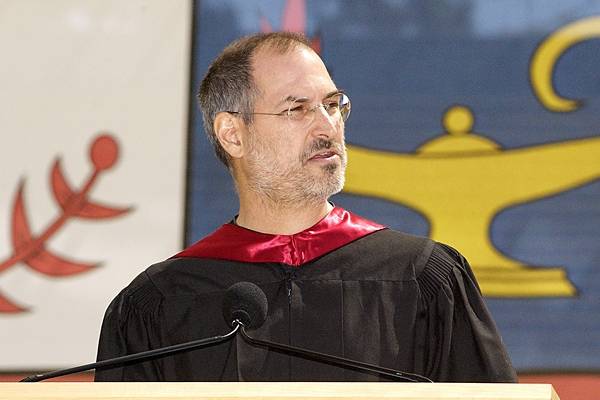
“So we went to Atari and said, ‘Hey, we’ve got this amazing thing, even built with some of your parts, and what do you think about funding us? Or we’ll give it to you. We just want to do it. Pay our salary, we’ll come work for you.’ And they said, ‘No.’ So then we went to Hewlett-Packard, and they said, ‘Hey, we don’t need you. You haven’t got through college yet.†– Classic Gaming
“The people who are doing the work are the moving force behind the Macintosh. My job is to create a space for them, to clear out the rest of the organization and keep it at bay.†– Macworld
“Your time is limited, so don’t waste it living someone else’s life. Don’t be trapped by dogma – which is living with the results of other people’s thinking. Don’t let the noise of other’s opinions drown out your own inner voice. And most important, have the courage to follow your heart and intuition. They somehow already know what you truly want to become. Everything else is secondary.†- Steve Jobs’ Stanford Commencement Address
“I’m the only person I know that’s lost a quarter of a billion dollars in one year…. It’s very character-building.†– Wikiquote, as quoted in Apple Confidential 2.0: The Definitive History of the World’s Most Colorful Company (2004) by Owen W. Linzmayer
“I’m as proud of what we don’t do as I am of what we do.†– Businessweek
“Quality is more important than quantity. One home run is much better than two doubles.†– Businessweek
“I’ve always wanted to own and control the primary technology in everything we do.†– The Seed of Apple’s Innovation
“It comes from saying no to 1,000 things to make sure we don’t get on the wrong track or try to do too much.†- The Seed of Apple’s Innovation
“It’s really hard to design products by focus groups. A lot of times, people don’t know what they want until you show it to them.†– Businessweek, 1998
“Innovation has nothing to do with how many R&D dollars you have. When Apple came up with the Mac, IBM was spending at least 100 times more on R&D. It’s not about money. It’s about the people you have, how you’re led, and how much you get it.†- Fortune, Nov. 9, 1998
“I’m convinced that about half of what separates the successful entrepreneurs from the non-successful ones is pure perseverance.â€
“It’s rare that you see an artist in his 30s or 40s able to really contribute something amazing.†– Playboy interview, 1985

“I feel like somebody just punched me in the stomach and knocked all my wind out. I’m only 30 years old and I want to have a chance to continue creating things. I know I’ve got at least one more great computer in me. And Apple is not going to give me a chance to do that.†– Playboy, 1987
“I didn’t see it then, but it turned out that getting fired from Apple was the best thing that could have ever happened to me. The heaviness of being successful was replaced by the lightness of being a beginner again, less sure about everything. It freed me to enter one of the most creative periods of my life.†- Steve Jobs’ Stanford Commencement Address
“Do you want to spend the rest of your life selling sugared water or do you want a chance to change the world?†– Steve Jobs’ famous question to John Sculley, former Apple CEO
“The products suck! There’s no sex in them anymore!†– Businessweek
“The cure for Apple is not cost-cutting. The cure for Apple is to innovate its way out of its current predicament.†- As quoted in Apple Confidential 2.0: The Definitive History of the World’s Most Colorful Company (2004) by Owen W. Linzmayer
“If I were running Apple, I would milk the Macintosh for all it’s worth — and get busy on the next great thing. The PC wars are over. Done. Microsoft won a long time ago.†– Fortune, 1996
“You know, I’ve got a plan that could rescue Apple. I can’t say any more than that it’s the perfect product and the perfect strategy for Apple. But nobody there will listen to me.†– Fortune, 1995
“Apple has some tremendous assets, but I believe without some attention, the company could, could, could — I’m searching for the right word — could, could die.†– TIME, 1997
Filed in Entrepreneur,Web 2.0,Web 3.0
|
TrackBack
|
 Comments(0)